In Memoriam Submission Guide
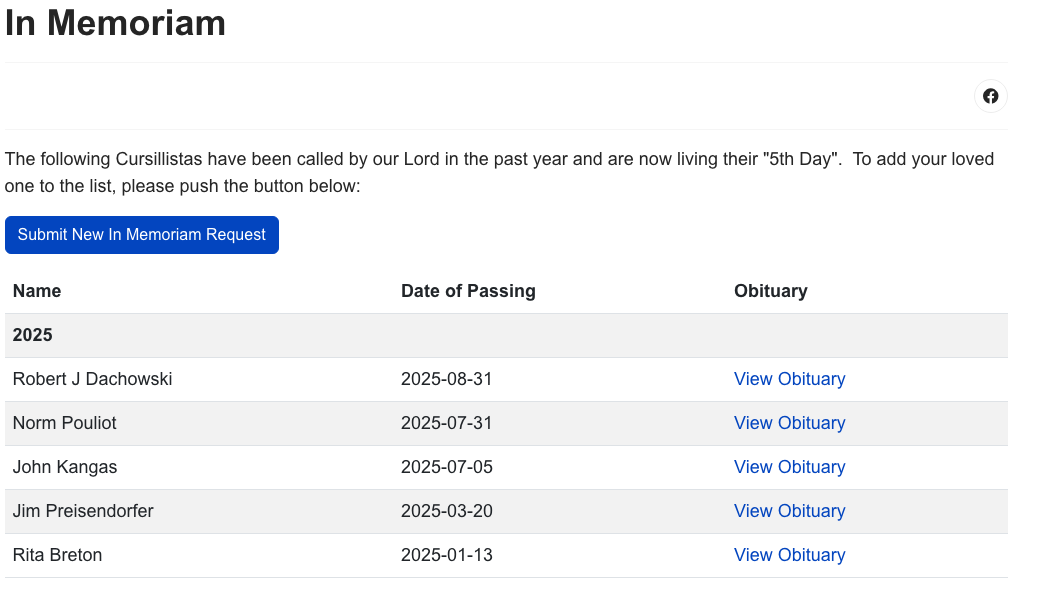
Use this form to notify NH Cursillo of the passing of a Cursillista so they may be remembered on the website. No login is required. All submissions are reviewed before being published.
Accessing the Form
You can access the In Memoriam submission form by clicking the Submit New In Memoriam Request button on the In Memoriam page.
Filling Out the Form
The form has two sections:
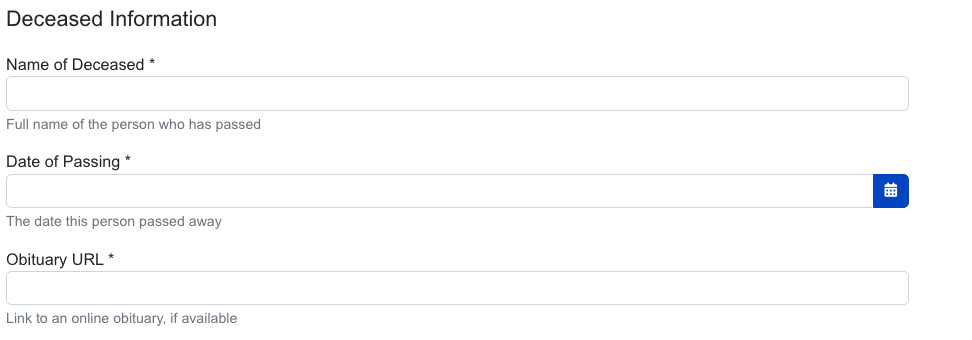
Deceased Information
- Name of Deceased (required)
- Date of Passing (required)
- Obituary URL — A link to an online obituary. NOTE: to respect the confidentiality and wishes of the family, only publicly available obituaries will be approved.
Submitted By
Please provide at least one way for us to contact you (email or phone):
- Your Name (required)
- Your Relationship to the Deceased (required)
- Your Email Address
- Your Phone Number
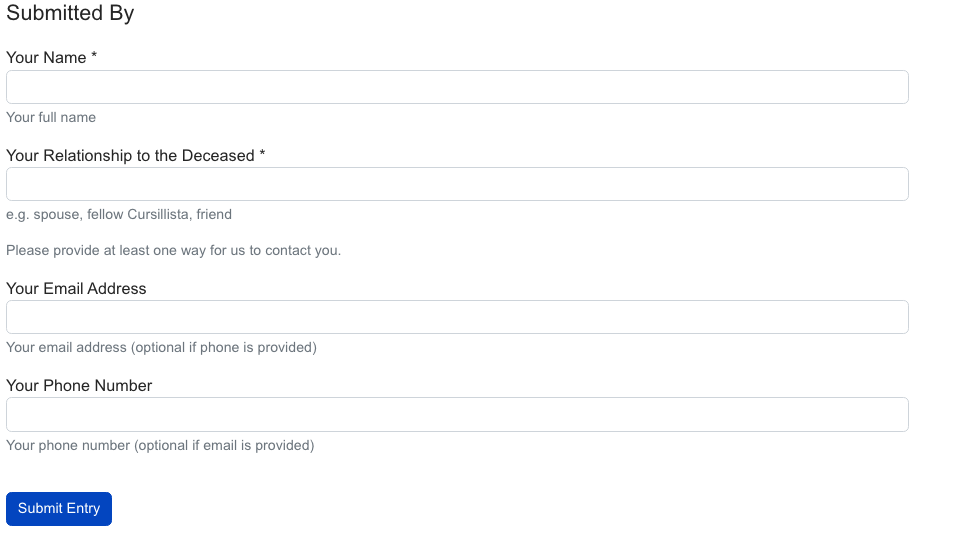
Click Submit Entry when complete.
Confirmation
After submitting, a thank-you message will appear letting you know your request has been received. You'll be returned to the page you came from.
You'll also receive a confirmation email. The webservant will receive a notification to review your submission.
Common Questions
Do I need to log in?
No. The In Memoriam form is fully public.
How long before my submission appears on the site?
Submissions are typically reviewed within a few business days. Once approved, they appear immediately on the In Memoriam page.
Can I edit my submission after sending it?
Contact webservant@nhcursillo.org if you need to make changes after submission.
What if I don't have an obituary URL?
The obituary URL field is optional. Leave it blank if no online obituary is available.